Back to Apps

Sheet Pic

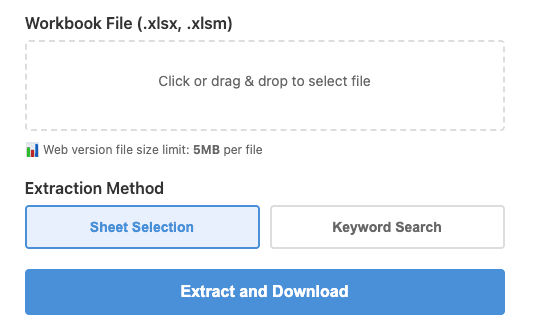
Easily split Excel files by sheet name. Extract only the sheets you need using keyword search or manual selection.

Try it now
Sheet Pic

Features

Keyword Search Extraction

Batch-extract sheets by keywords in their names

Manual Multi-Sheet Selection

Pick exactly the sheets you need

Formatting Preserved

Generated files keep the original formatting intact

Batch Processing

Process multiple files at once for maximum efficiency

How to Use

1

Upload your Excel file(s)

2

Select the sheets to extract (keyword search or manual selection)

3

Click the Extract button

4

Download the new Excel file

What is Sheet Pic?

Sheet Pic is a web application that lets you easily extract specific sheets from Excel files containing many worksheets.

Who is this for?

  • You need to split an Excel file with multiple sheets
  • You want to extract only sheets containing a specific keyword
  • You want to eliminate tedious manual copy & paste
  • You need to create a new file while preserving formatting

Why I built this

In my day job, I frequently dealt with Excel files containing dozens of sheets. Manually copying specific sheets into a new file was time-consuming and error-prone.

So I built a tool to automate the process.

Technical specs

  • Supported formats: .xlsx, .xlsm
  • Max file size: 5MB (Web) / Unlimited (Desktop)

Try Sheet Pic

Get started right away.

Try it now

Disclaimer

This tool is provided as-is without any warranty of accuracy, completeness, or fitness for a particular purpose. Please verify all generated data and files yourself. The developer assumes no liability for any damages arising from the use of this tool.